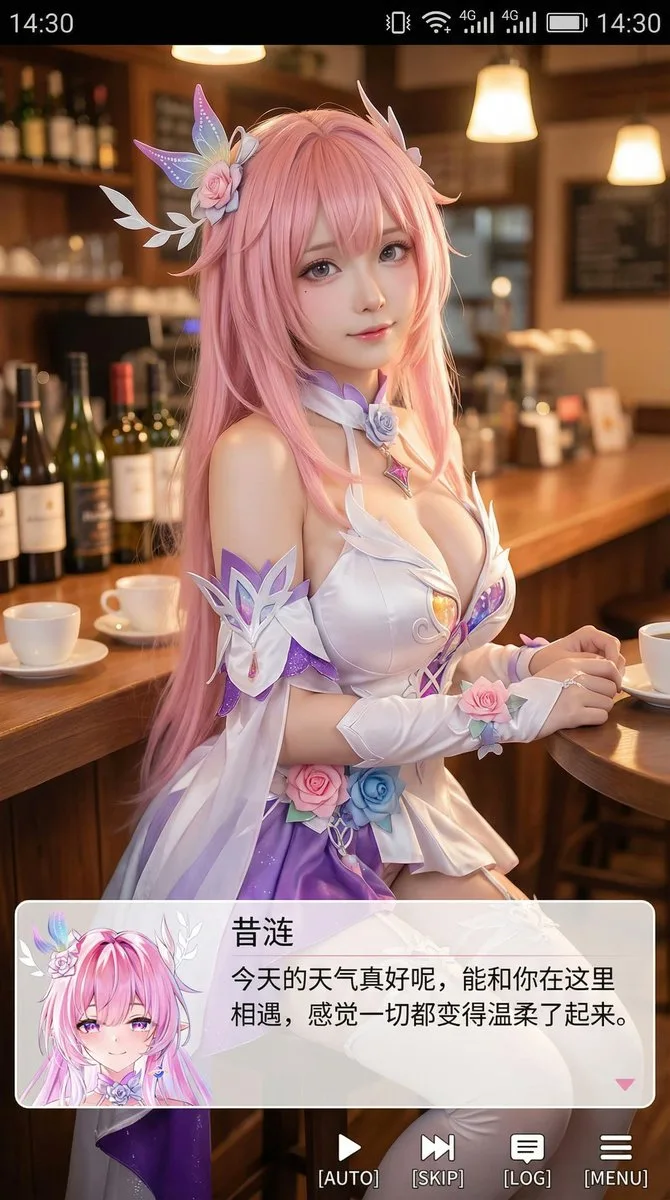
클릭하여 전체 이미지 보기 · 원본 사례 참조용
사례 출처
@Zoulinshen ↗ · 사례 #282
원본 사례 내용을 유지합니다. 생성 결과는 모델 버전, 참조 이미지 및 매개변수에 따라 달라질 수 있으며, 본 사이트에서 개별 검증을 진행하지 않아 동일한 결과의 재현을 보장하지 않습니다.
UI 및 인터페이스 / PROMPT #282
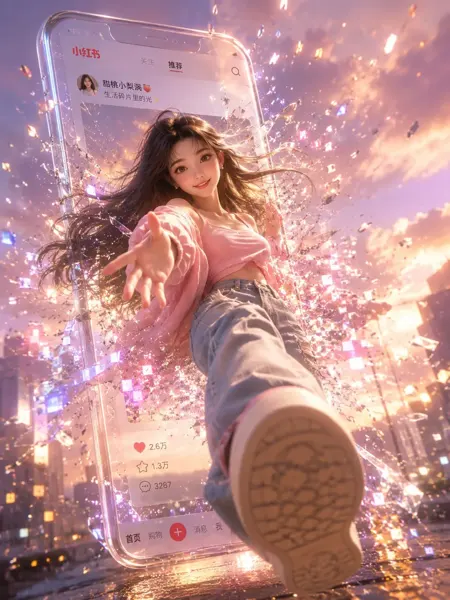
감성 힐링 애니메이션 폰 화면 캡처
먼저 이미지를 확인한 뒤 원본 프롬프트를 복사하세요. 치환 문구가 있는 경우 아래에서 원하는 내용으로 변경할 수 있습니다.
01 / 나만의 버전 설정
02 / 전체 프롬프트 · 원문
[中文]
生成一张竖版手机截图风格的图片,整体比例接近 9:16。画面中心偏上是一位真人 coser,扮演(角色名称)的二次元角色。人物为写实风格,但五官略带动漫感,皮肤细腻,眼睛稍大,表情温柔地看向镜头,坐在室内的休闲场景中,例如咖啡厅或酒吧吧台前,背景有符合场景的道具。画面最上方加入手机系统状态栏 UI,包括时间、电量、信号、网络等图标,让整张图看起来像手机截图。画面底部叠加一块宽大的半透明 galgame 风格对话框,对话框左侧放一个与画面人物对应的动漫或 Q 版头像;对话框右侧排版文字:第一行用较大字体显示与前面相同的角色名字,下面一到两行显示一段适合这个角色人设的、温柔治愈风格的简体中文台词,由你自动创作。再在对话框下方加一条操作栏,仿照 galgame UI。整体风格高清、细节丰富、光线柔和、二次元与真人写真自然融合。

[English]
Generate a portrait mobile phone screenshot style image, with an overall aspect ratio close to 9:16. In the upper center of the frame is a real-life coser, playing a 2D anime character named (Character Name). The character is in a realistic style, but with facial features slightly showing an anime feel, delicate skin, slightly larger eyes, a gentle expression looking at the camera, sitting in an indoor casual scene, such as in front of a cafe or bar counter, with background props fitting the scene. At the very top of the image, add a mobile phone system status bar UI, including icons for time, battery, signal, and network, to make the whole image look like a mobile phone screenshot. At the bottom of the image, overlay a wide semi-transparent galgame style dialog box, place an anime or Q-version avatar corresponding to the character in the image on the left side of the dialog box; on the right side of the dialog box, typeset text: the first line displays the same character name as before in a larger font, the following one to two lines display a piece of Simplified Chinese dialogue suitable for this character's personality, in a gentle and healing style, automatically created by you. Then add an operation bar below the dialog box, imitating the galgame UI. The overall style is high-definition, rich in details, with soft lighting, and a natural fusion of 2D anime and real-life photography.
사용하시는 이미지 생성 도구에 붙여넣어 사용하세요. 본 사이트는 프롬프트 탐색 및 편집 기능만 제공하며 직접 이미지를 생성하지 않습니다.
03 / 생성 전 체크리스트
- 치환 문구를 구체적인 내용으로 바꾸고, 참조 이미지가 필요한지 확인하세요.
- 텍스트가 포함된 경우 원하는 문구를 명확히 지정하고, 생성 후 글자를 꼼꼼히 확인하세요.
- 효과를 쉽게 비교할 수 있도록 피사체, 조명, 구도 중 한 번에 하나씩만 수정하세요.
관련 영감 더 둘러보기
더 많은 UI 및 인터페이스 사례