クリックで拡大表示 · 作例の参考イメージ
作例の出典
@songguoxiansen ↗ · 作例 #164
オリジナルの作例内容を保持しています。生成結果はモデルのバージョン、参照画像、パラメータによって左右されます。本サイトでは個別の完全な再現を保証するものではありません。
UI・インターフェース / PROMPT #164
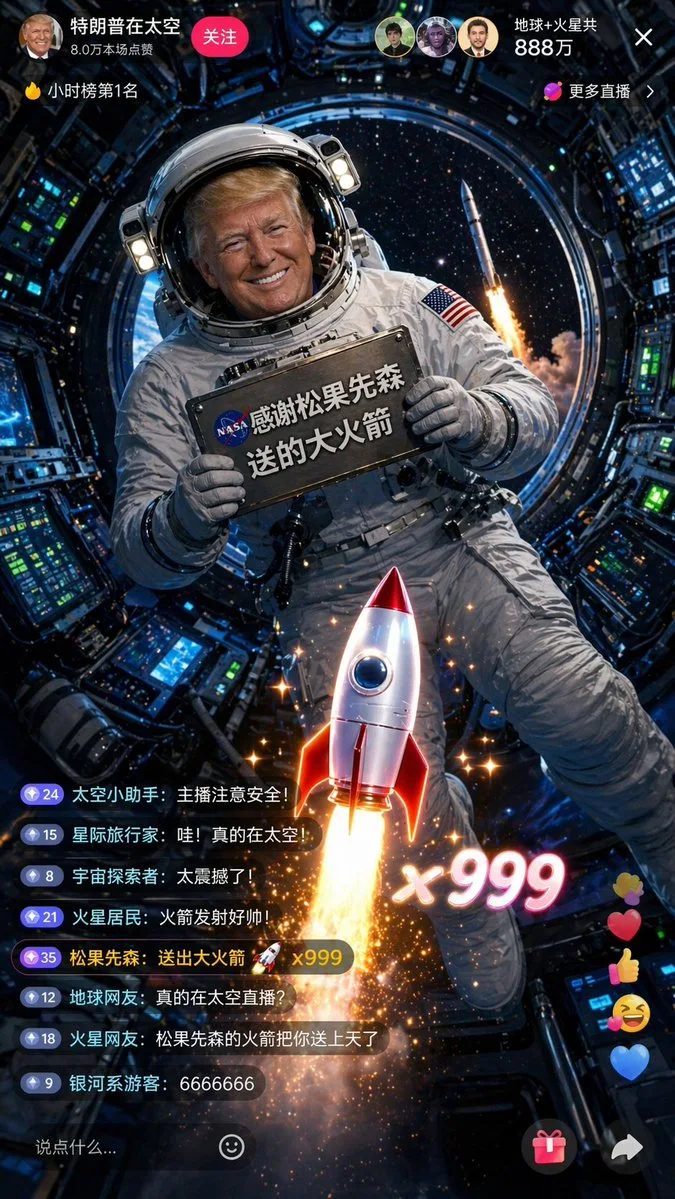
トランプ宇宙配信1000万人突破
画像を確認してからプロンプトをコピーしてください。プレースホルダーがある場合は、下部で内容を書き換えることができます。
01 / カスタマイズ
02 / プロンプト全文 · 原文
[中文]
一张9:16竖屏的抖音直播截图,太空直播风格。特朗普穿着NASA风格的白色宇航服,头盔面罩半开,露出他标志性的金色头发和笑容。他漂浮在国际空间站的舱内进行直播,处于微重力失重状态,身体微微悬浮。他双手举着一块固定在宇航服上的金属铭牌,铭牌上用NASA风格的印刷体写着"感谢松果先森送的大火箭"。身后圆形舷窗外可以看到蓝色的地球和深邃的太空。直播界面显示在线人数"地球+火星共888万"。弹幕区有人刷"真的在太空直播?""松果先森的火箭把你送上天了"。屏幕中央的火箭礼物特效与窗外太空中一枚正在发射的真实火箭遥相呼应,形成虚实结合的效果。舱内有各种精密仪器和控制面板,绿色和蓝色的指示灯闪烁。画面色调以深蓝、白色和金色为主,舷窗外的星光点缀其间,8K超高清,电影《地心引力》级别的视觉效果。

[English]
A 9:16 vertical screen screenshot of a Douyin live stream, space live stream style. Trump is wearing a NASA-style white spacesuit, with the helmet visor half open, revealing his signature golden hair and smile. He is floating inside the cabin of the International Space Station doing a live stream, in a microgravity weightless state, with his body slightly suspended. He is holding up a metal nameplate fixed to the spacesuit with both hands, and the nameplate says "Thanks to Songguo Xiansen for the big rocket" in NASA-style print. Behind him, the blue Earth and deep space can be seen through the circular porthole. The live stream interface shows the online viewer count as "Earth + Mars total 8.88 million". In the bullet screen area, someone is commenting "Really live streaming from space?" and "Songguo Xiansen's rocket sent you up to the sky". The rocket gift effect in the center of the screen echoes a real rocket launching in the space outside the window, forming a combination of virtual and real effects. There are various precision instruments and control panels inside the cabin, with green and blue indicator lights flashing. The color tone of the picture is mainly dark blue, white, and gold, with starlight from outside the porthole embellishing it, 8K ultra-high definition, visual effects at the level of the movie "Gravity".
お使いの画像生成ツールに貼り付けてご使用ください。本サイトはプロンプトの閲覧・編集ツールであり、画像の直接生成は行いません。
03 / 生成前のチェック
- プレースホルダーを具体的な内容に置き換え、参照画像が必要か確認します。
- 文字を含む場合はテキストを確定し、生成後に一文字ずつ確認します。
- 被写体、光、構図は一度に一箇所ずつ調整すると、効果を比較しやすくなります。
関連するインスピレーション
UI・インターフェースの他の作例