Click to view full image · Reference sample
Source
@RamonVi25791296 ↗ · Case #395
Original prompt preserved. Results vary depending on model version, reference image, and parameters; identical outputs are not guaranteed.
Scenes & Storytelling / PROMPT #395
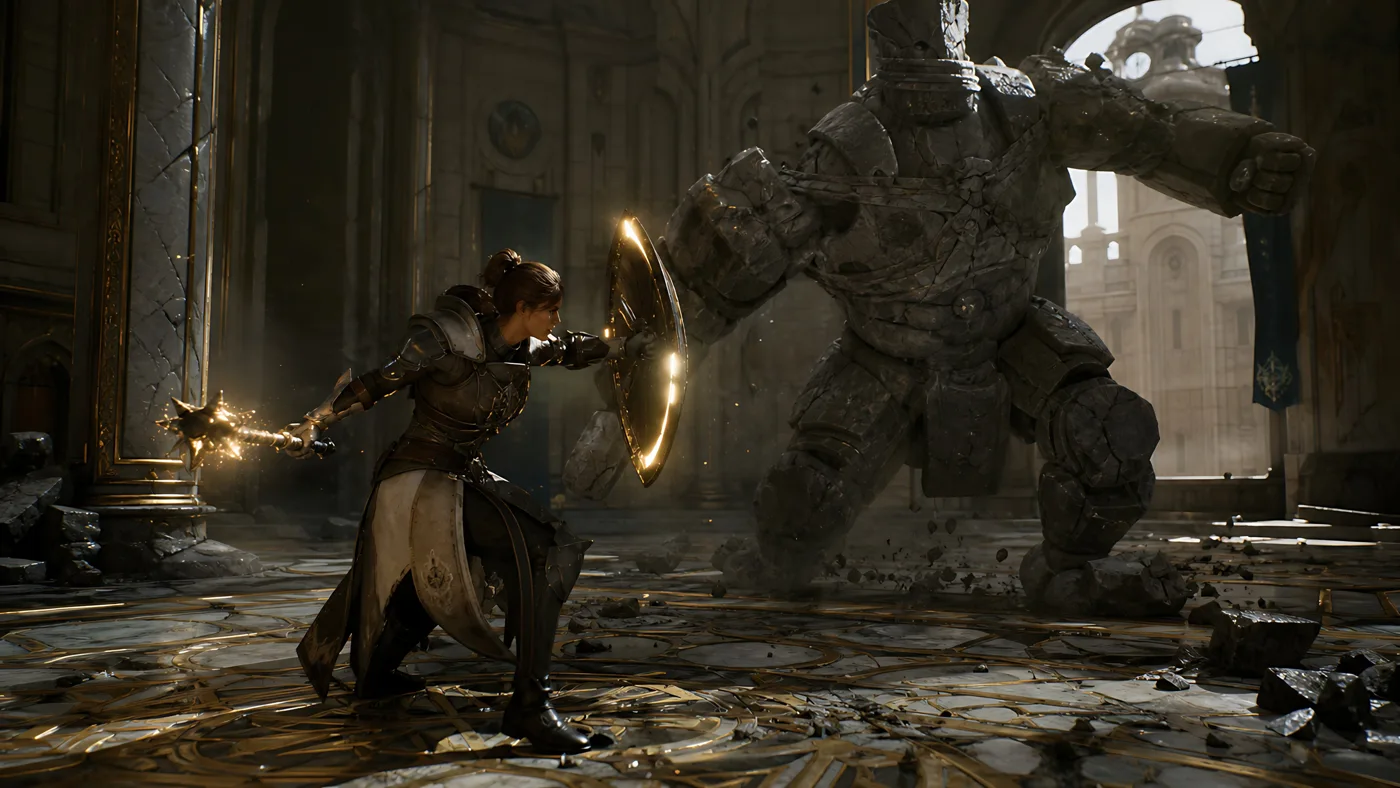
Knight and Mage Battle Stone Golem
Review the image, then copy the prompt. If placeholders are present, customize them below.
01 / Customize your version
No placeholders detected. You can freely adjust the subject, color palette, text, and aspect ratio after copying.
02 / Full Prompt · Original
Create a cinematic dark fantasy action scene in a ruined cathedral hall: a {argument name="hero type" default="female armored knight-mage"} crouches in a defensive lunge on the left foreground, wearing ornate dark steel and leather plate armor with a long cream-and-black tabard, one arm extended behind her gripping a spiked mace or morning star crackling with golden magic sparks, the other arm braced forward behind a round glowing shield rimmed with warm light. Opposite her in the right midground is a massive {argument name="enemy type" default="headless stone golem"}, built from cracked gray masonry plates and bound with broken chains, charging with one huge fist raised and rubble falling from its body. Set the battle inside a grand, damaged palace-cathedral interior with towering arches, carved stone columns, tall broken windows, gold-trimmed marble floor in circular geometric patterns, scattered chunks of stone, dust, and debris. Use dramatic backlighting from a bright arched window behind the golem, warm golden magical highlights on the shield and weapon, deep shadows, volumetric dust beams, realistic textures, high-detail armor and stone, dynamic low-angle wide composition, shallow cinematic depth, epic game-cinematic realism, 16:9 widescreen, no text, no UI.Copy into your preferred AI image generator. Prompt Atelier provides prompt browsing and editing, but does not generate images directly.
03 / Pre-generation checklist
- Replace placeholders with specific details, and check whether reference images are needed.
- Specify exact wording for text elements, and proofread carefully after generation.
- Adjust only one element at a time—subject, lighting, or composition—to compare results easily.
Explore related inspiration
More in Scenes & Storytelling