클릭하여 전체 이미지 보기 · 원본 사례 참조용
사례 출처
@Gc_qube ↗ · 사례 #60
원본 사례 내용을 유지합니다. 생성 결과는 모델 버전, 참조 이미지 및 매개변수에 따라 달라질 수 있으며, 본 사이트에서 개별 검증을 진행하지 않아 동일한 결과의 재현을 보장하지 않습니다.
일러스트 및 아트 / PROMPT #60
만화 콘티 연출 디자인 · #60
먼저 이미지를 확인한 뒤 원본 프롬프트를 복사하세요. 치환 문구가 있는 경우 아래에서 원하는 내용으로 변경할 수 있습니다.
01 / 나만의 버전 설정
이 사례에는 명시적인 치환 문구가 없습니다. 복사 후 피사체, 색상, 텍스트, 비율을 직접 수정해 보세요.
02 / 전체 프롬프트 · 원문
{
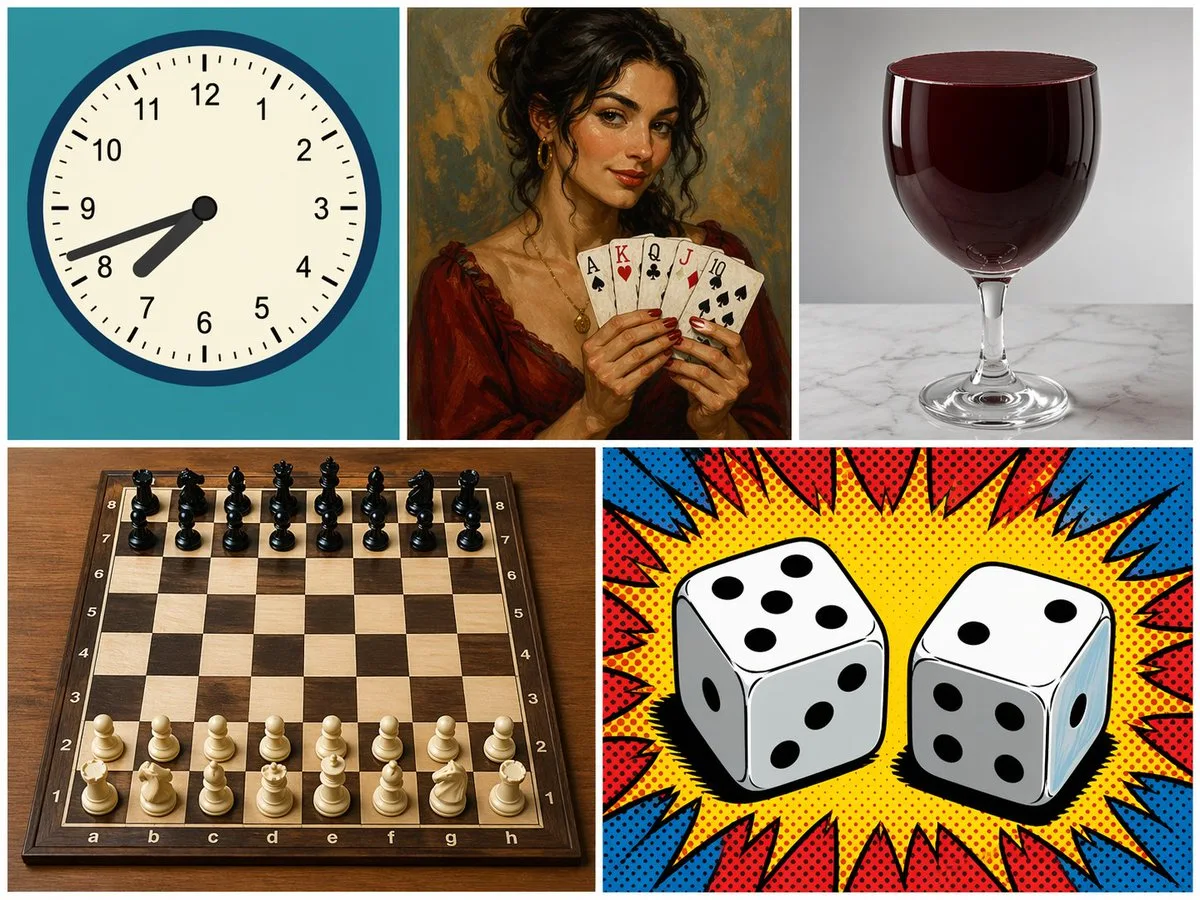
  "type": "5-panel collage",
  "layout": "grid with 3 top panels and 2 bottom panels",
  "panels": [
    {
      "position": "top-left",
      "subject": "analog clock",
      "details": "teal background, time showing {argument name=\"clock time\" default=\"7:42\"}",
      "style": "flat vector illustration"
    },
    {
      "position": "top-middle",
      "subject": "woman holding playing cards",
      "details": "holding 5 cards: {argument name=\"card hand\" default=\"Ace of Spades, King of Hearts, Queen of Clubs, Jack of Diamonds, 10 of Spades\"}",
      "style": "classic oil painting portrait"
    },
    {
      "position": "top-right",
      "subject": "glass of red liquid",
      "details": "{argument name=\"glass type\" default=\"wine glass\"} filled to the brim with dark red liquid, marble surface",
      "style": "photorealistic studio photography"
    },
    {
      "position": "bottom-left",
      "subject": "chessboard",
      "details": "wooden board with 32 pieces in standard starting position",
      "style": "photorealistic high-angle shot"
    },
    {
      "position": "bottom-right",
      "subject": "two dice",
      "details": "left die shows {argument name=\"left die top\" default=\"5\"} on top, right die shows {argument name=\"right die top\" default=\"2\"} on top",
      "style": "pop art comic book halftone with red and blue burst"
    }
  ]
}사용하시는 이미지 생성 도구에 붙여넣어 사용하세요. 본 사이트는 프롬프트 탐색 및 편집 기능만 제공하며 직접 이미지를 생성하지 않습니다.
03 / 생성 전 체크리스트
- 치환 문구를 구체적인 내용으로 바꾸고, 참조 이미지가 필요한지 확인하세요.
- 텍스트가 포함된 경우 원하는 문구를 명확히 지정하고, 생성 후 글자를 꼼꼼히 확인하세요.
- 효과를 쉽게 비교할 수 있도록 피사체, 조명, 구도 중 한 번에 하나씩만 수정하세요.
관련 영감 더 둘러보기
더 많은 일러스트 및 아트 사례