클릭하여 전체 이미지 보기 · 원본 사례 참조용
사례 출처
@Emmma__0 ↗ · 사례 #543
원본 사례 내용을 유지합니다. 생성 결과는 모델 버전, 참조 이미지 및 매개변수에 따라 달라질 수 있으며, 본 사이트에서 개별 검증을 진행하지 않아 동일한 결과의 재현을 보장하지 않습니다.
이커머스 제품 / PROMPT #543
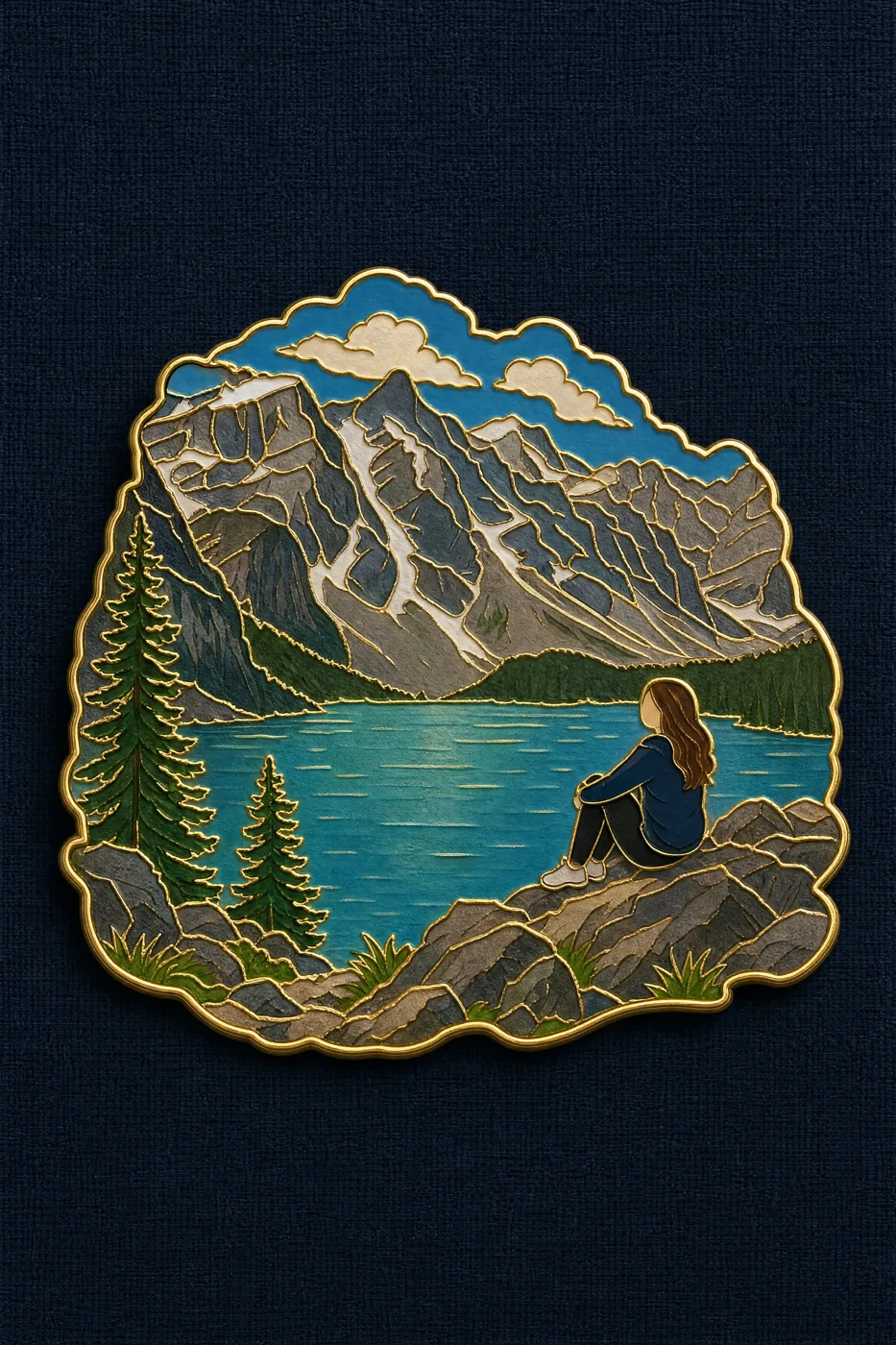
여행 기념 에나멜 배지
먼저 이미지를 확인한 뒤 원본 프롬프트를 복사하세요. 치환 문구가 있는 경우 아래에서 원하는 내용으로 변경할 수 있습니다.
01 / 나만의 버전 설정
이 사례에는 명시적인 치환 문구가 없습니다. 복사 후 피사체, 색상, 텍스트, 비율을 직접 수정해 보세요.
02 / 전체 프롬프트 · 원문
Turn the reference photo into a travel souvenir enamel pin badge. Compose it as a SCENE, not a single isolated object.

Subject hierarchy: the defining landscape, terrain or landmark of the photo forms the main body of the badge and occupies most of its area. If a person appears prominently in the photo, keep them in the badge as a small, simplified figure at true relative scale within that landscape — the person is an accent, the landscape is the subject. Preserve the original spatial relationship and scale between the figure and the surroundings.

How to render the person: flat enamel color blocks matching their real clothing and hair color from the photo. The face is a smooth plain area of light skin-tone enamel with no drawn facial features — do NOT render the person as a dark or black silhouette, and do NOT black out the face or head. Skin reads as a warm light enamel color, clearly lighter than the clothing.

Styling: thin polished gold outline around the silhouette and along every internal divider, glossy enamel color fill, gentle even lighting with only a soft sheen on the gold lines, very subtle drop shadow. Outer contour follows the scene's own shape, not a plain rectangle.

Background: flat dark navy coarse linen texture. Badge centered, filling about 60% of the frame.

Avoid: black silhouette figure, blacked-out face, dark featureless head, portrait close-up, detailed facial features, person dominating the badge, cropping out the landscape, three-quarter angle, macro product photography, heavy specular glare, cartoon, realistic scene, text, watermark.
사용하시는 이미지 생성 도구에 붙여넣어 사용하세요. 본 사이트는 프롬프트 탐색 및 편집 기능만 제공하며 직접 이미지를 생성하지 않습니다.
03 / 생성 전 체크리스트
- 치환 문구를 구체적인 내용으로 바꾸고, 참조 이미지가 필요한지 확인하세요.
- 텍스트가 포함된 경우 원하는 문구를 명확히 지정하고, 생성 후 글자를 꼼꼼히 확인하세요.
- 효과를 쉽게 비교할 수 있도록 피사체, 조명, 구도 중 한 번에 하나씩만 수정하세요.
관련 영감 더 둘러보기
더 많은 이커머스 제품 사례