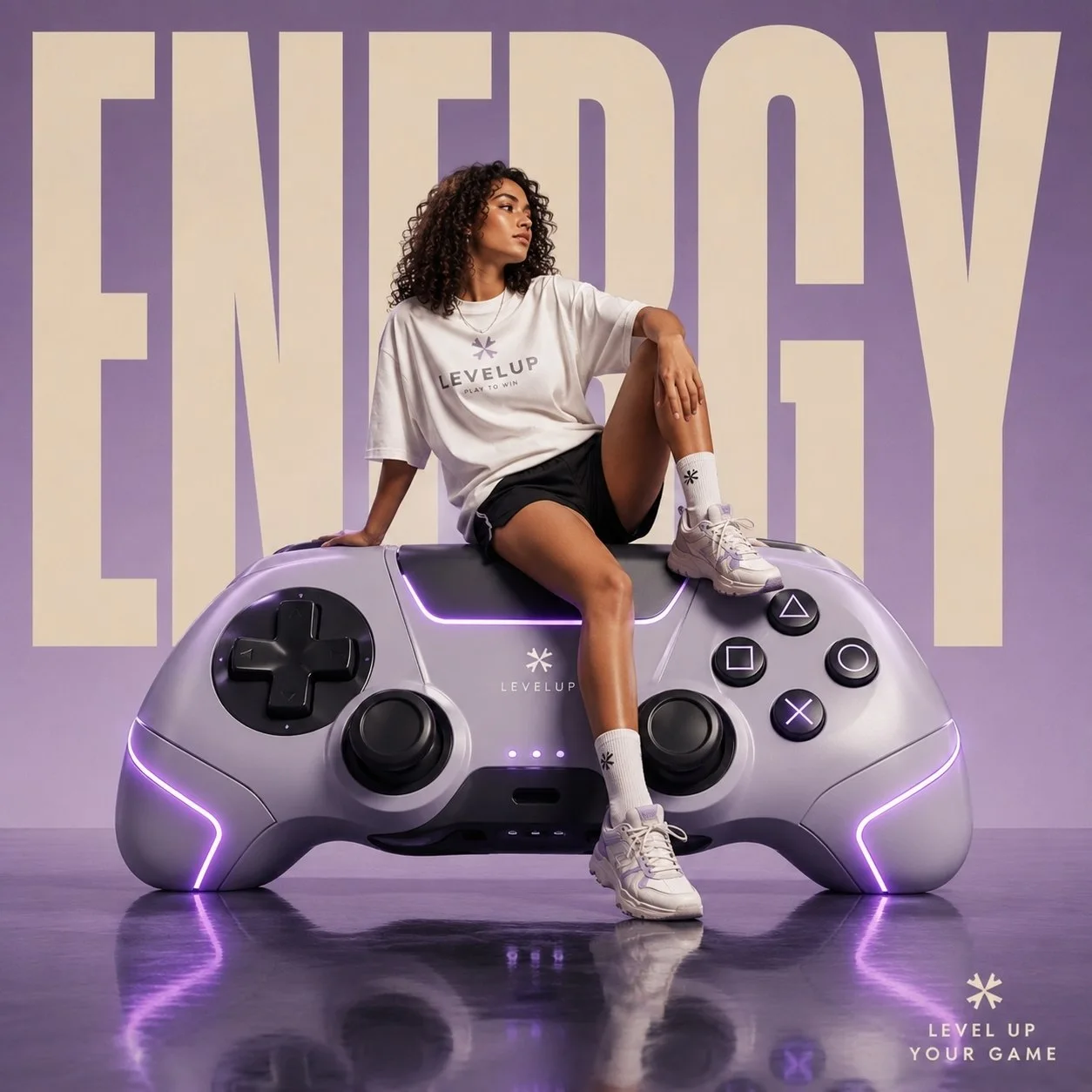
클릭하여 전체 이미지 보기 · 원본 사례 참조용
사례 출처
@AIwithkhan ↗ · 사례 #406
원본 사례 내용을 유지합니다. 생성 결과는 모델 버전, 참조 이미지 및 매개변수에 따라 달라질 수 있으며, 본 사이트에서 개별 검증을 진행하지 않아 동일한 결과의 재현을 보장하지 않습니다.
포스터 및 타이포그래피 / PROMPT #406
거대 게임 컨트롤러 거리 Campaign
먼저 이미지를 확인한 뒤 원본 프롬프트를 복사하세요. 치환 문구가 있는 경우 아래에서 원하는 내용으로 변경할 수 있습니다.
01 / 나만의 버전 설정
이 사례에는 명시적인 치환 문구가 없습니다. 복사 후 피사체, 색상, 텍스트, 비율을 직접 수정해 보세요.
02 / 전체 프롬프트 · 원문
Luxury futuristic streetwear campaign poster featuring a confident athletic girl sitting on a gigantic oversized retro gaming controller instead of sunglasses, clean editorial advertising aesthetic, massive bold typography in the background saying “ENERGY”, glossy reflective floor, cinematic studio lighting, pastel neon color palette with lavender, silver, and soft cyan tones.

The girl has curly shoulder-length hair, relaxed confident attitude, wearing an oversized white graphic T-shirt, loose black athletic shorts, high white socks, and modern sneakers. Casual sporty fashion styling, natural makeup, youthful Gen-Z streetwear vibe. She is casually seated on top of the giant gaming controller with one leg hanging down and one knee raised, looking away from the camera with cool effortless confidence.

The oversized gaming controller is ultra detailed with futuristic buttons, glowing accents, premium matte materials, and soft LED reflections. Minimal luxury branding on the controller side. Giant cream-colored typography fills the background vertically in a bold condensed font.

Environment: seamless studio backdrop with glossy floor reflections, high-end commercial fashion photography, ultra realistic textures, dramatic shadows, premium editorial layout, modern tech-fashion advertisement aesthetic, symmetrical composition, luxury product campaign style, 4:3 aspect ratio, hyper detailed, photorealistic.
사용하시는 이미지 생성 도구에 붙여넣어 사용하세요. 본 사이트는 프롬프트 탐색 및 편집 기능만 제공하며 직접 이미지를 생성하지 않습니다.
03 / 생성 전 체크리스트
- 치환 문구를 구체적인 내용으로 바꾸고, 참조 이미지가 필요한지 확인하세요.
- 텍스트가 포함된 경우 원하는 문구를 명확히 지정하고, 생성 후 글자를 꼼꼼히 확인하세요.
- 효과를 쉽게 비교할 수 있도록 피사체, 조명, 구도 중 한 번에 하나씩만 수정하세요.
관련 영감 더 둘러보기
더 많은 포스터 및 타이포그래피 사례