Affiches & Typographie
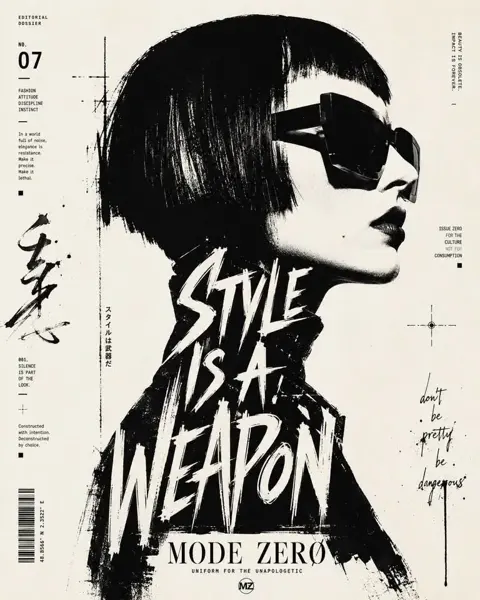
Affiche de portrait de profil typographique noir et blanc
Voir le prompt complet ↗#542
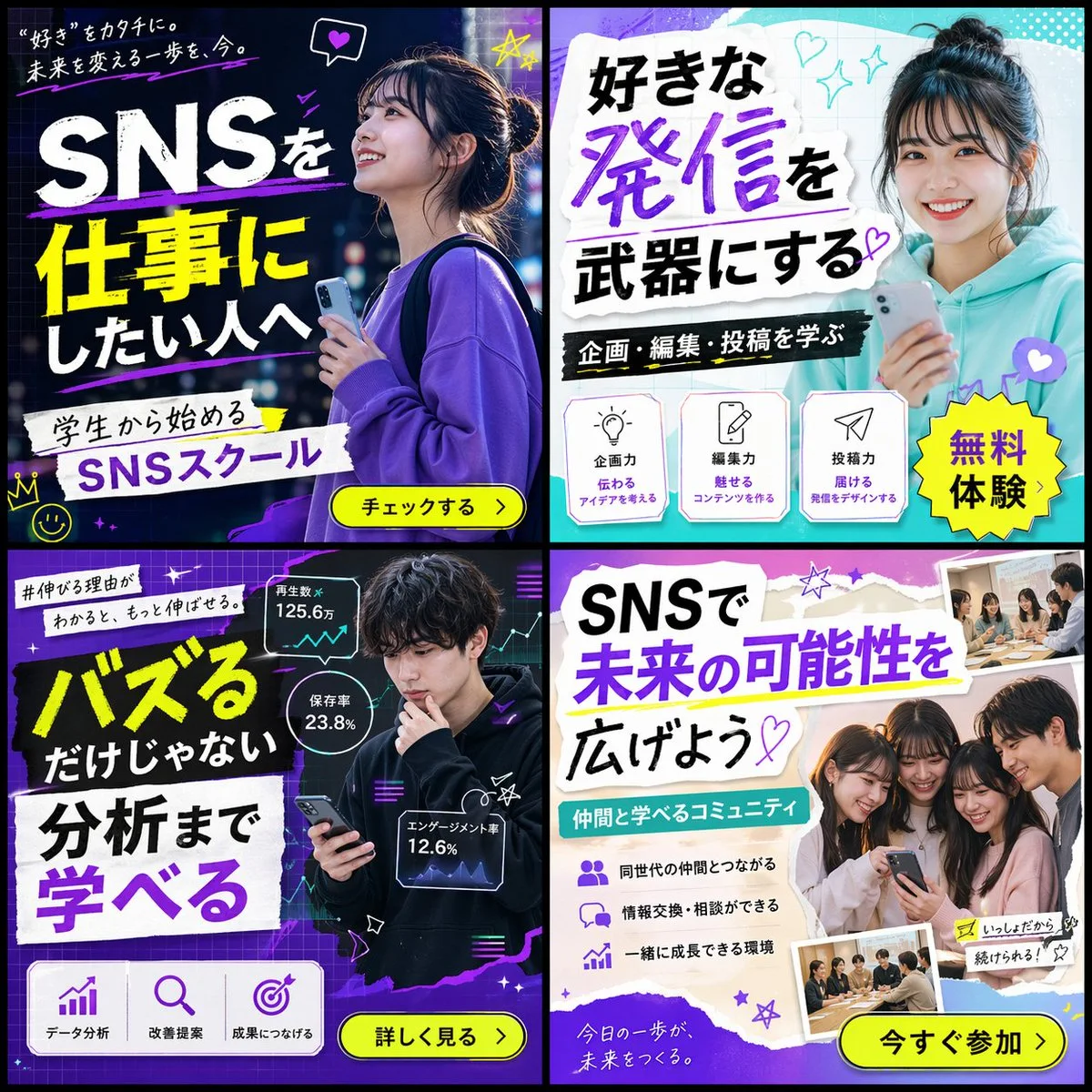
Cliquer pour agrandir · Rendu de référence original
@masapark95 ↗ · Exemple #61
Contenu d'origine préservé. Le résultat final dépend de la version du modèle, des images de référence et des paramètres ; la reproduction exacte n'est pas garantie.
Observez le rendu puis copiez le prompt d'origine ; remplacez les variables ci-dessous avec vos propres éléments.
Aucune variable détectée dans cet exemple. Après copie, ajustez librement le sujet, la palette de couleurs, le texte et le format.
{
  "type": "2x2 grid of banner advertisements",
  "theme": "{argument name=\"school name\" default=\"SNSスクール\"}",
  "target_audience": "{argument name=\"target audience\" default=\"学生\"}",
  "layout": {
    "grid": "2x2",
    "panels": [
      {
        "position": "top-left",
        "style": "dark neon, blue and purple",
        "subject": "young woman looking up hopefully, holding a smartphone, wearing a purple sweatshirt",
        "main_text": "{argument name=\"banner 1 headline\" default=\"SNSを仕事にしたい人へ\"}",
        "sub_text": "“好き”をカタチに。未来を変える一歩を、今。",
        "elements": [
          "white and yellow typography",
          "yellow call-to-action button: チェックする >",
          "hand-drawn neon accents (crown, stars, heart)"
        ]
      },
      {
        "position": "top-right",
        "style": "bright, pop, cyan and white",
        "subject": "young woman smiling directly at camera, holding a smartphone, wearing a teal hoodie, hair in a bun",
        "main_text": "{argument name=\"banner 2 headline\" default=\"好きな発信を武器にする\"}",
        "sub_text": "企画・編集・投稿を学ぶ",
        "elements": [
          "torn paper texture backgrounds for text",
          "yellow starburst sticker: 無料体験",
          "3 feature icons with text: lightbulb (企画力), pencil (編集力), paper plane (投稿力)"
        ]
      },
      {
        "position": "bottom-left",
        "style": "dark, analytical, neon purple and green",
        "subject": "young man looking thoughtfully at his smartphone, wearing a black hoodie",
        "main_text": "{argument name=\"banner 3 headline\" default=\"バズるだけじゃない 分析まで学べる\"}",
        "sub_text": "#伸びる理由がわかると、もっと伸ばせる。",
        "elements": [
          "3 floating holographic data panels with line graphs and stats (125.6万, 23.8%, 12.6%)",
          "3 feature icons at bottom: bar chart (データ分析), magnifying glass (改善提案), target (成果につなげる)",
          "yellow call-to-action button: 詳しく見る >"
        ]
      },
      {
        "position": "bottom-right",
        "style": "bright, friendly, purple and white",
        "subject": "group of 4 young people (3 women, 1 man) huddled together smiling at a smartphone",
        "main_text": "SNSで未来の可能性を広げよう",
        "sub_text": "仲間と学べるコミュニティ",
        "elements": [
          "torn paper texture backgrounds for text",
          "3 bullet points with icons (people, speech bubbles, rising chart)",
          "2 polaroid-style inset photos showing students studying at a desk",
          "yellow call-to-action button: 今すぐ参加 >"
        ]
      }
    ]
  }
}Copiez ce prompt dans votre outil de génération d'images habituel ; ce site sert à explorer et éditer des prompts, sans génération directe d'images.
Plus d'exemples de type Affiches & Typographie