Click to view full image · Reference sample
Source
@Preda2005 ↗ · Case #362
Original prompt preserved. Results vary depending on model version, reference image, and parameters; identical outputs are not guaranteed.
Brand & Logos / PROMPT #362
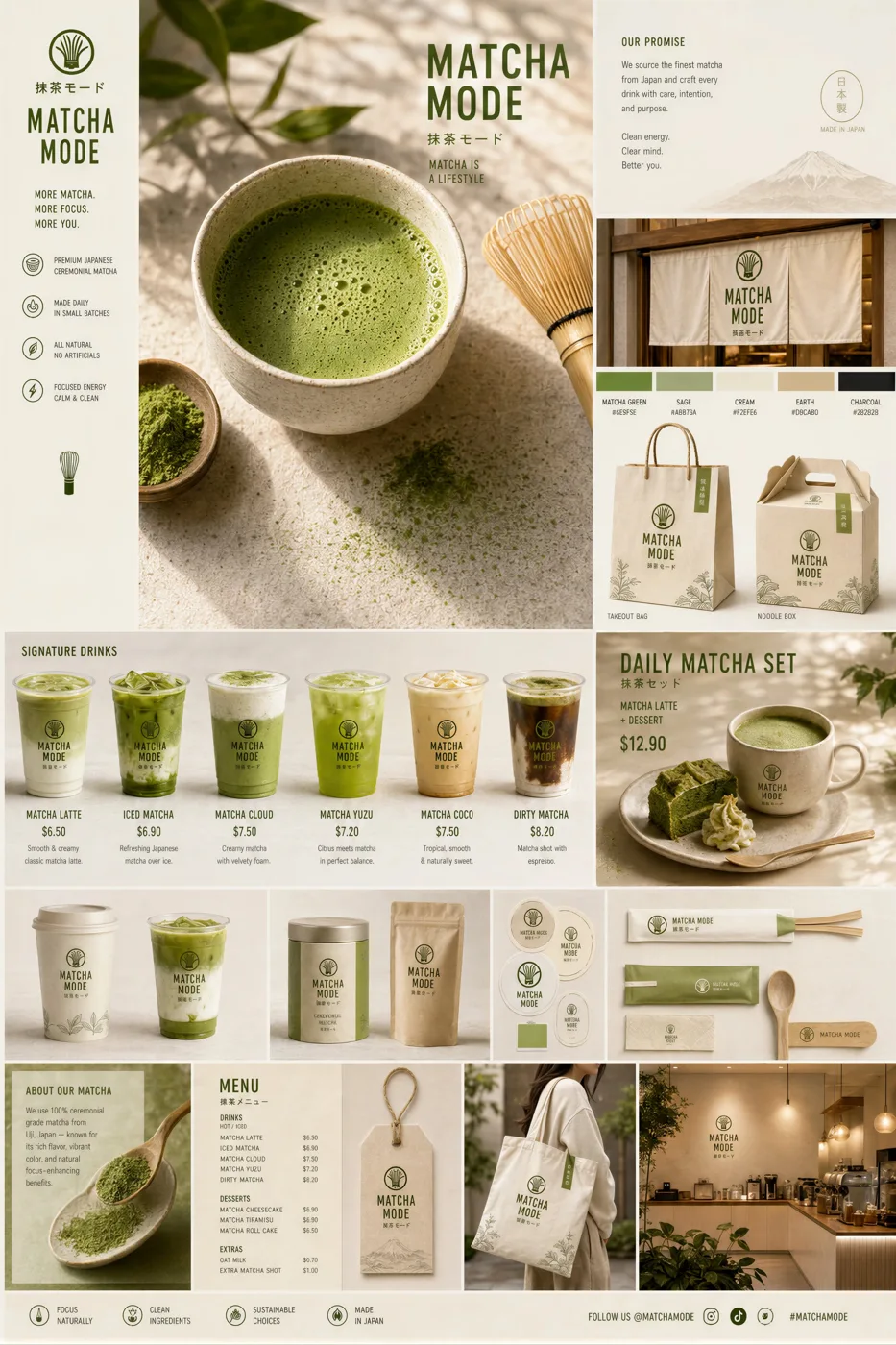
Matcha Brand Touchpoint System Visual Board
Review the image, then copy the prompt. If placeholders are present, customize them below.
01 / Customize your version
No placeholders detected. You can freely adjust the subject, color palette, text, and aspect ratio after copying.
02 / Full Prompt · Original
Create a premium “Matcha Brand Touchpoint System” visual board for a modern lifestyle brand called:

“MATCHA MODE”

Build a full brand identity system, not a single image.

HERO SCENE:

A hyper-realistic matcha drink in a ceramic cup placed on a clean natural surface.

– vibrant green matcha foam with micro-bubbles
– bamboo whisk (chasen) nearby
– soft natural light
– slight matcha powder dust on the surface
– minimal Japanese aesthetic
ATMOSPHERE:
– calm, warm, soft daylight
– clean background (off-white or beige)
– subtle shadows and reflections
– feeling of wellness and luxury
FULL BRAND SYSTEM:
– takeout cups (paper + glass bottles)
– packaging boxes (minimalist design)
– tote bags (premium lifestyle)
– labels, stickers, seals
– menu cards with pricing ($6.50, $8.90, etc.)
– small typography everywhere
– subtle imperfections (realism)

DESIGN LANGUAGE:

– modern minimalist typography
– Japanese-inspired layout
– soft green palette
– elegant spacing

INCLUDE:
– matcha latte
– iced matcha
– matcha desserts
– combo sets
– lifestyle shots
The composition must feel like a high-end design agency presentation.

Ultra-detailed, realistic, clean, aesthetic, and highly shareable.
Copy into your preferred AI image generator. Prompt Atelier provides prompt browsing and editing, but does not generate images directly.
03 / Pre-generation checklist
- Replace placeholders with specific details, and check whether reference images are needed.
- Specify exact wording for text elements, and proofread carefully after generation.
- Adjust only one element at a time—subject, lighting, or composition—to compare results easily.
Explore related inspiration
More in Brand & Logos