Click to view full image · Reference sample
Source
@Gemalpha_88 ↗ · Case #360
Original prompt preserved. Results vary depending on model version, reference image, and parameters; identical outputs are not guaranteed.
Charts & Infographics / PROMPT #360
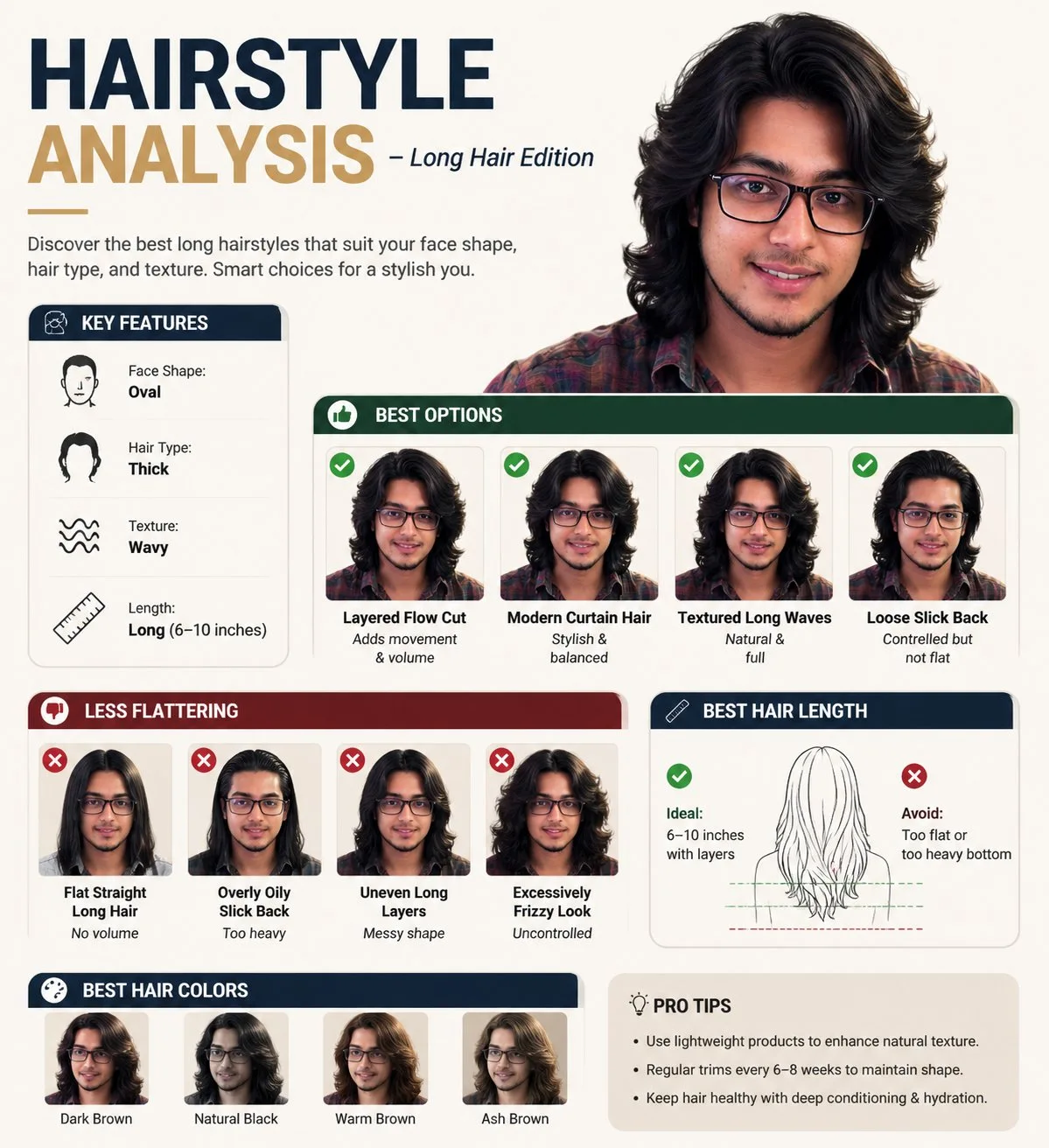
Long Hairstyle Analysis Infographic
Review the image, then copy the prompt. If placeholders are present, customize them below.
01 / Customize your version
No placeholders detected. You can freely adjust the subject, color palette, text, and aspect ratio after copying.
02 / Full Prompt · Original
Create a professional "HAIRSTYLE ANALYSIS" infographic with a different male model (the same face) having long, thick hair (6-10 inches), slightly wavy texture.

Style should be clean, modern, premium grooming guide (similar layout but not identical).

TOP TITLE:
"HAIRSTYLE ANALYSIS - Long Hair Edition"

LEFT PANEL (Key Features with icons):
Face Shape: Oval
Hair Type: Thick
Texture: Wavy
Length: Long

BEST OPTIONS (Top row with green indicators):
Layered Flow Cut (Adds movement & volume)
Modern Curtain Hair (Stylish & balanced)
Textured Long Waves (Natural & full)
Loose Slick Back (Controlled but not flat)

LESS FLATTERING (Bottom row with red indicators):
Flat Straight Long Hair (No volume)
Overly Oily Slick Back (Too heavy)
Uneven Long Layers (Messy shape)
Excessively Frizzy Look (Uncontrolled)

BEST HAIR LENGTH SECTION:
Ideal: 6-10 inches with layers
Avoid: Too flat or too heavy bottom

BEST HAIR COLORS:
Dark Brown
Natural Black
Warm Brown
Ash Brown

DESIGN STYLE:
Clean grid infographic
White/beige background
Soft shadows
Premium magazine look
Realistic face and hair detail
Consistent spacing and typography
High resolution, 4K
Copy into your preferred AI image generator. Prompt Atelier provides prompt browsing and editing, but does not generate images directly.
03 / Pre-generation checklist
- Replace placeholders with specific details, and check whether reference images are needed.
- Specify exact wording for text elements, and proofread carefully after generation.
- Adjust only one element at a time—subject, lighting, or composition—to compare results easily.
Explore related inspiration
More in Charts & Infographics